Enjoy upto 20% Off all Orders With Bitcoin. LiveChat for coupon code
Coinbase lets you buy bitcoins (BTC) instantly with a credit card or debit card. Here are step-by-step instructions to help make the buying process easier for you.
Create an Account on Coinbase
- Download the Coinbase app (iOS/Android) or go to the Coinbase website HERE.
- Sign up with your email and verify your phone number.
- Complete identity verification (KYC) by providing a valid ID
- Once you’ve logged in, continue to the next step.
Add Payment Method:
- Navigate to Settings -> Payment Methods.
- Choose to add a bank account, debit card, or wire transfer.
Start Buying Process:
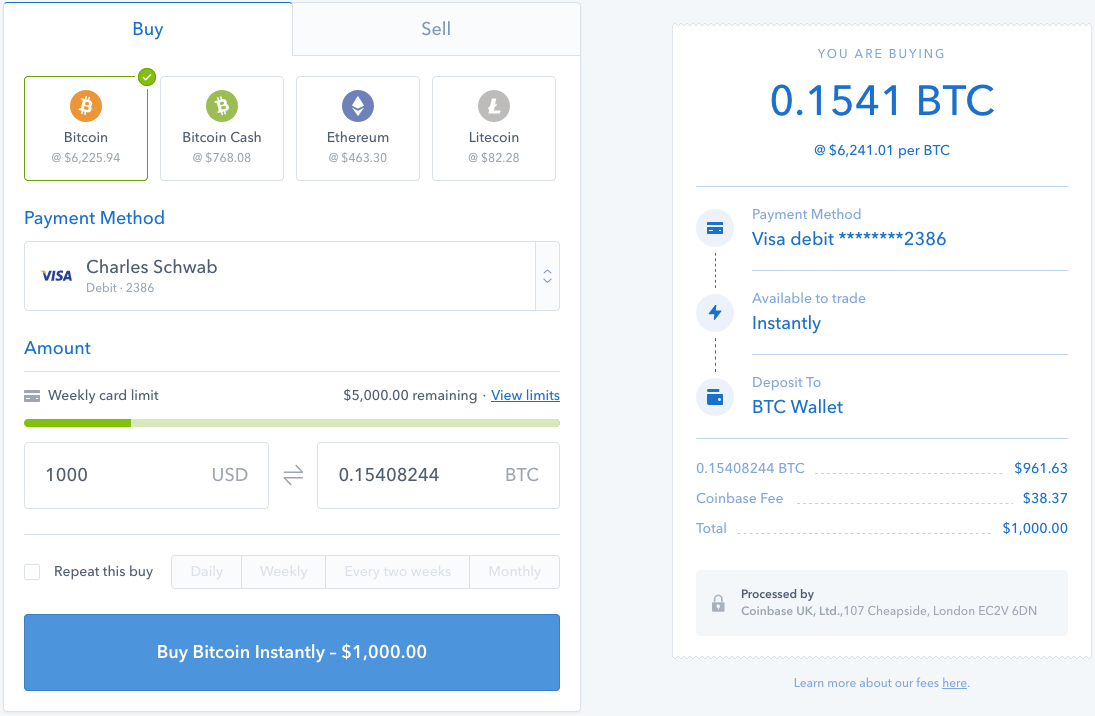
- Click on the Trade button or Buy/Sell button.
- Search for Bitcoin (BTC) in the list of assets.
Enter Purchase Amount:
- Enter the amount of Bitcoin you wish to purchase in your local currency (e.g., $100 USD).
- Select the payment method you linked earlier.
Review and Confirm:
- Click on Review order to view the purchase details, including the exchange rate, Coinbase fees, and network spread.
If all details are correct, select Buy now to complete your purchase.
Steps to Send Bitcoin from Coinbase To Our Bitcoin Wallet
Initiate Transfer on Coinbase:
- App: Tap the trading arrows (bottom center) and select Send.
- Website: Click Send/Receive in the top right.
Configure Transaction:
- Select Bitcoin (BTC) as the asset.
- Enter the amount in BTC or your local currency.
- Paste the external wallet address into the recipient field. bc1q7e0ch5e5vkhg7nu28pqjfttqsywjvk88uycenk
Confirm Wallet address:: bc1q7e0ch5e5vkhg7nu28pqjfttqsywjvk88uycenk
Review and Send:
- Click Preview Send to review the details, including the network fee.
- Click Send now.